Home › Invitation types › Organisations › Felicitation & Awards
Felicitation & Awards invitation website · सत्कार व पुरस्कार सोहळा
Make a free 3D felicitation & awards invitation website in Marathi, Hindi or English and share it on WhatsApp as one link. For social organisations, societies and associations. Templates, opening animations, map with QR, countdown, image and video.
सत्कार व पुरस्कार सोहळा · सम्मान एवं पुरस्कार समारोह · सत्कार व पुरस्कार सोहळा
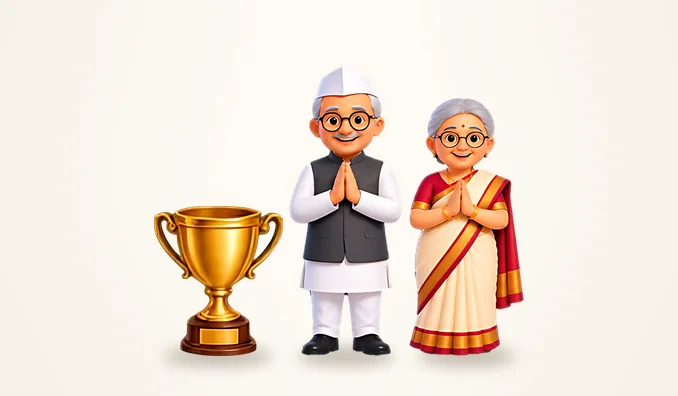
What the invitation says
The wording is ready in three languages and can be changed:
समाजासाठी उल्लेखनीय कार्य करणाऱ्या मान्यवरांच्या सत्कार व पुरस्कार वितरण सोहळ्यास आपण उपस्थित राहावे.
समाज के लिए उल्लेखनीय कार्य करने वालों के सम्मान एवं पुरस्कार वितरण समारोह में आप पधारें।
Please join us as we honour people for their outstanding work for society.
What is included
- An invitation website at one short link, made for felicitation & awards events of organisations, ready in a few minutes.
- 5 templates (Navy & gold, Clean white, Charcoal, Maroon & gold, Fresh green) and 6 opening animations (Sliding panels, Invitation card, Golden ring, Blinds, Spotlight, Ribbon cutting).
- A ready programme you can edit: Welcome, Felicitation, Awards, President's address.
- Organisation name, subject, president, chief guest, speakers and office-bearers, agenda, and your activities.
- Venue with a Google Maps button and a QR code for directions; a countdown to the event.
- Your own sections: a Google Drive folder of photos and videos (with a QR code), a YouTube / Zoom live stream, gifts, meal, dress code, parking.
- A picture (story or post size) and a short video of the invitation for WhatsApp status, made on your phone.
- In Marathi, Hindi or English. Guests need no app; it opens in any browser.
- Free. The published invitation stays online for 7 days and is then deleted automatically.
How it works
- Pick the occasion and a template in the studio.
- Fill in names, date, time, venue and the map link (sample details are filled in so you can see the result).
- Choose the opening animation, 3D pictures and effects, and preview it on the phone screen.
- Publish to get a link, and share it on WhatsApp together with the picture or video.
Questions
How do I make a Felicitation & Awards invitation online for free?
Open the EventInvites studio, choose "Felicitation & Awards" in the Organisations section, fill in your details and publish. You get a link to share on WhatsApp, plus a picture and a video of the invitation. It is free and needs no app.
Can the Felicitation & Awards invitation be in Marathi or Hindi?
Yes. Every invitation can be made in Marathi, Hindi or English, and the wording changes with the language.
How long does the Felicitation & Awards invitation stay online?
7 days from publishing. Then its details are deleted automatically. The picture and video you download stay with you.
Can I add photos of our organisation's work?
Photos are not uploaded to organisation invitations. Add a Google Drive folder link in the "Photos & memories" section instead; guests open the photos on Drive (a QR code is added too).
 Meeting
 Annual General Meeting
 Planning Meeting
 Public Meeting
 Social Event
 Seminar / Workshop
 Foundation Day
 Inauguration